Okay, so I was doomscrolling, and I saw this one reel, and it was quite interesting
The one aspect of the MacBook everyone agrees is best is the trackpad, specifically the “fake click” mechanism.
The trackpad on most laptops works on a basic hinge system
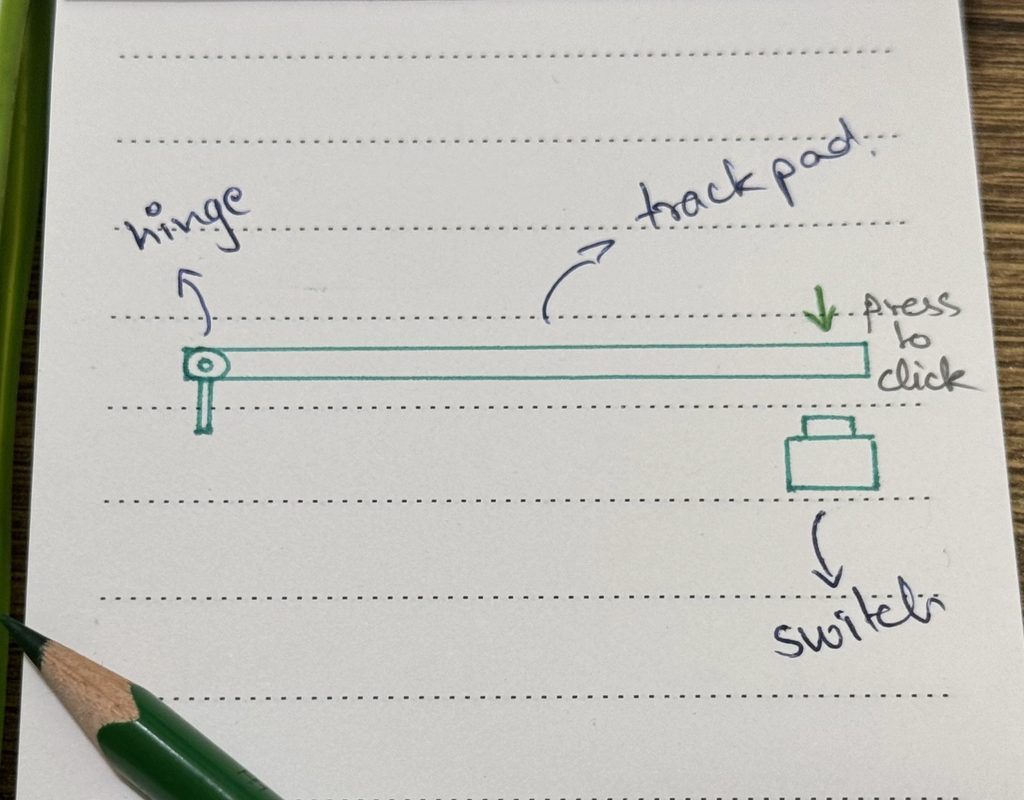
You press the trackpad; the plate rotates about the hinge and the switch clicks.
The issue arises when you press near the top, i.e. near the hinge; here you have to exert more force to get the same click.
Also, these parts are purely mechanical, so over time they are bound to start wobbling. Apple also used these clunky hinges until 2015 for the MacBook Pro and until 2018 for the MacBook Air, but then they introduced a new design.
Instead of using a physical pressing mechanism, they moved toward sensory feedback that doesn’t require actual pressing.
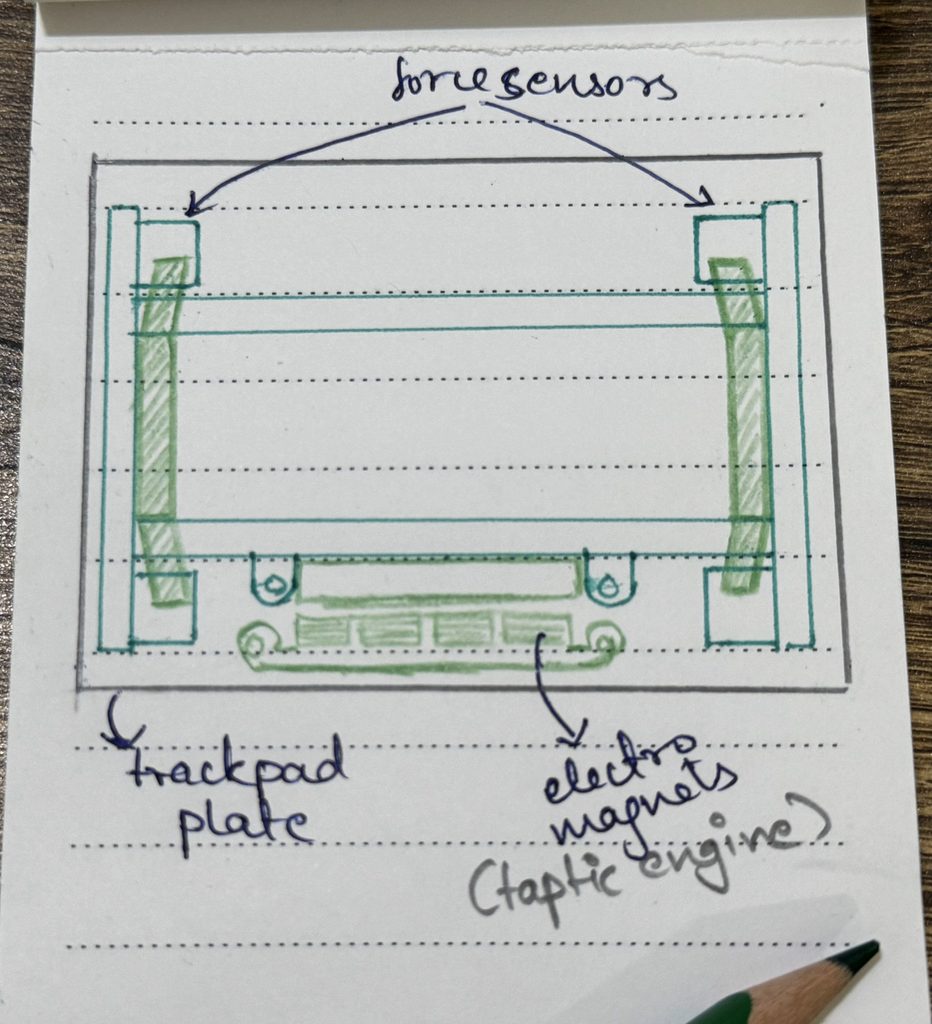
Apple mounted the trackpad’s metal plate on a frame with 4 pressure sensors at the corners. When you press the trackpad, the force is divided among those 4 sensors and added up; this way, we can get the same click anywhere on the trackpad without the plate moving down at all.
So if the plate doesn’t move, where does the click come from?
At the bottom of the frame sits a row of electromagnets. When you click, a short current pulse shoots through those magnets, shaking the entire plate sideways.
Even though the plate moves sideways, not downward, your brain reads it as a button press because the shake happens at the exact moment you press down.
Apple calls this row of magnets the “taptic engine”. [It’s Apple; ofc they have to come up with a random name for it]
Since the click is created by electric pulses, you can customise it to your preferences, which is how you adjust your trackpad’s click firmness in System Settings.

See ya in the next one guys.
